
PADI eLearning is the modern online learning system that enables you to spend less time in the classroom when taking a diving course and concentrate more on your diving itself. eLearning is used as the primary knowledge development tool that provides all the required knowledge. This base knowledge is supplemented with my years of experience teaching and diving around the world to provide a complete educational experience.
After you book and pay you will be emailed a code to access your eLearning. This needs to be entered in your PADI online profile to be able to access it. You will then be able to use PADI eLearning either online or via a mobile device using the PADI Library app on your tablet or phone.
How To Create Your PADI Profile For PADI ELearning
- Navigate to padi.com in your browser.
- Click on “Sign In” in the top right hand menu.
- Click on “PADI eLearning for Students” in the drop-down menu.
- In the new window, click on the right “Sign Up” tab.
- Enter your information.
- Click the “Sign Up” button.
- Enter your address details or click ‘skip’
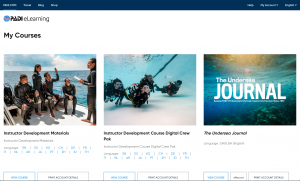
- You will be directed to your PADI eLearning dashboard.
- Enter the code you have been emailed by PADI or by me to gain access to your PADI eLearning module.
- Access your PADI eLearning using this option requires an ongoing internet connection.
 How To Get The PADI Library App
- On your mobile device go to the Apple App Store or Google Play store and search for PADI Library.
Alternatively, click on the links here. https://play.google.com/store/apps/details?id=com.padi.library&hl=en
or https://apps.apple.com/gb/app/padi-library/id805750986 - Download the app to your device.
- Tap on the downloaded app icon.
- Enter the login details you created when you set up your PADI profile.
- Hit ‘Sign in’
- Tap on the eLearning program you wish to study. The eLearning will be downloaded to your device. Access it section by section
How To Complete The PADI Training
You will need to complete knowledge reviews at the end of every section and in some cases a final exam. You can check the progress of your PADI eLearning as you progress through the online sections and your PADI instructor can see your progress as well.
Feel free to contact me about any issues you have along the way and make notes of anything that you are unsure of. There will be opportunities to discuss these areas in the scheduled Instructor Review sessions where each section will be reviewed and anything that is not clear can be explained in further detail. Also, there will be a chance to review items when you arrive for the water activities section of the course and you take the ‘Quick Review’.
Note: Emails from PADI can find their way into your Junk Email box so make sure that you check this folder if you are not receiving your eLearning emails. If you have any issues then please contact me.